The short answer
Bring your credit card. Set up a payment app, too.
You can pay directly by card at many major shops and hotels, especially in Guangzhou and Shenzhen. Alipay and Weixin Pay are useful across more everyday situations, including smaller shops. Bring your physical card, set up one wallet before departure, and keep some RMB cash for when either lets you down.
Last checked
In this answer
01
Yes, you can pay directly by credit card.
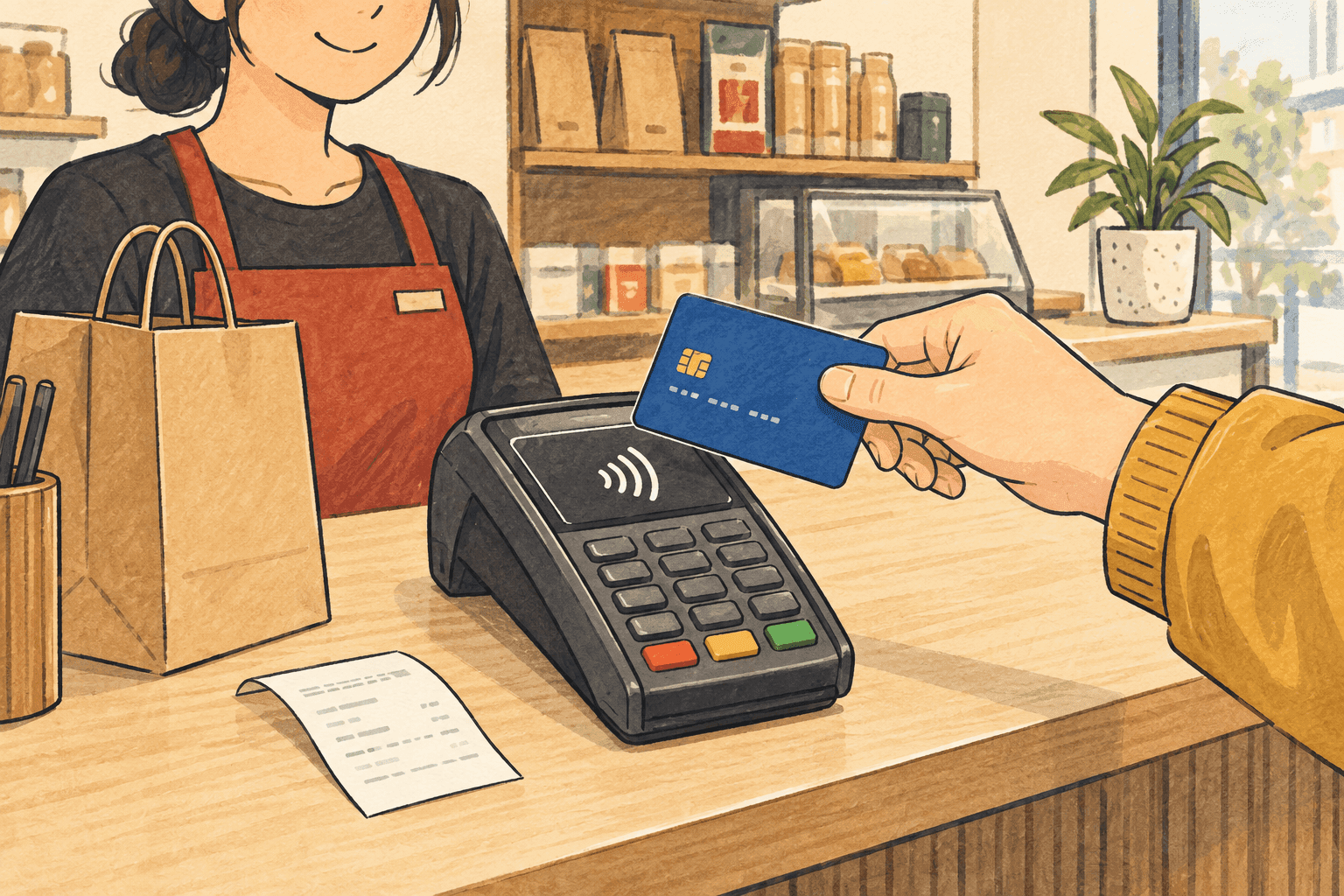
In major shopping areas, department stores and larger hotels, it is worth asking to pay with your physical card. Guangzhou’s tourism authority reports broad overseas-card acceptance in its main visitor areas; Shenzhen’s official payment guide also covers direct card use at shops and hotels.
Look for your card network’s logo, such as Visa or Mastercard, at the till and confirm with the cashier. Insert, tap or swipe as the terminal instructs. A mall can contain shops with different payment equipment, so one shop accepting your card does not settle it for the next.
For a small restaurant or an everyday purchase away from those areas, a payment app gives you another widely used way to pay. You do not have to choose just one method for the whole trip.
02
Register, verify, then link your card.
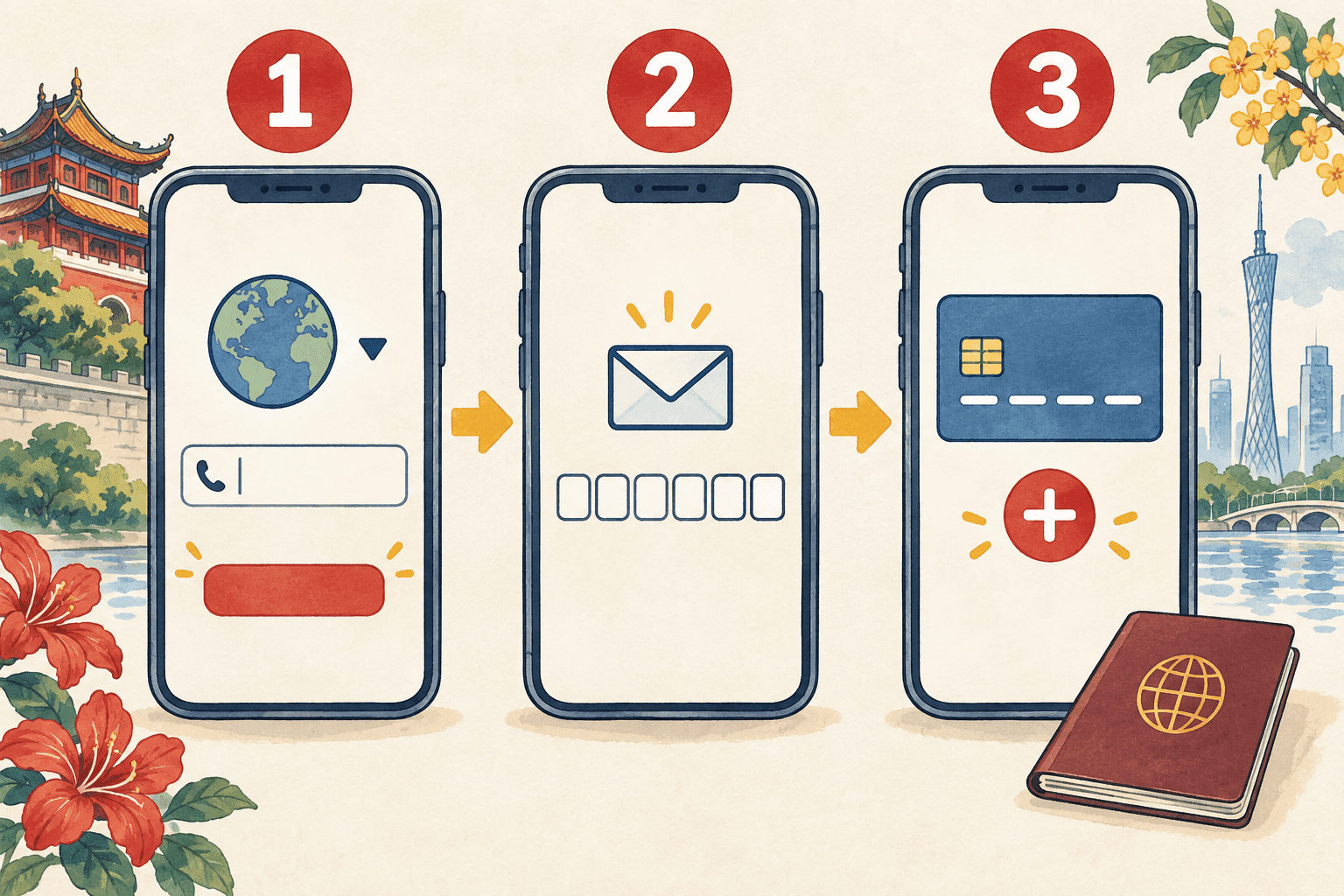
Have your phone, your own bank card and your passport or travel document nearby. These steps cover Alipay and the RMB wallet in WeChat. If you already use AlipayHK or WeChat Pay HK, check your existing wallet’s mainland payment instructions first.
- 1
Download the app and register
Find the official Alipay or WeChat app in your app store. Select Sign up, choose the country code for your phone number, then enter that number. An overseas number can be used; keep it available during your trip.
- 2
Complete the checks shown on screen
Enter the SMS code sent to your number and finish any account checks the app requests. If it asks for identity verification, use your own passport or accepted travel document. The checks can differ by account; follow your screen rather than expecting every step to match this illustration.
- 3
Add a supported card in your own name
In Alipay, follow Add Now when offered during setup. In WeChat, open the wallet through the route below. Enter the card details, complete any remaining identity check and approve the bank’s verification if requested. Keep access to the number held by your bank as well as the one used for the app.
Alipay · once signed in- Me
- Bank Cards
- Add bank cards
WeChat · RMB wallet- Me
- Services
- Wallet
- Add a Card
03
At the counter, who scans whose code?
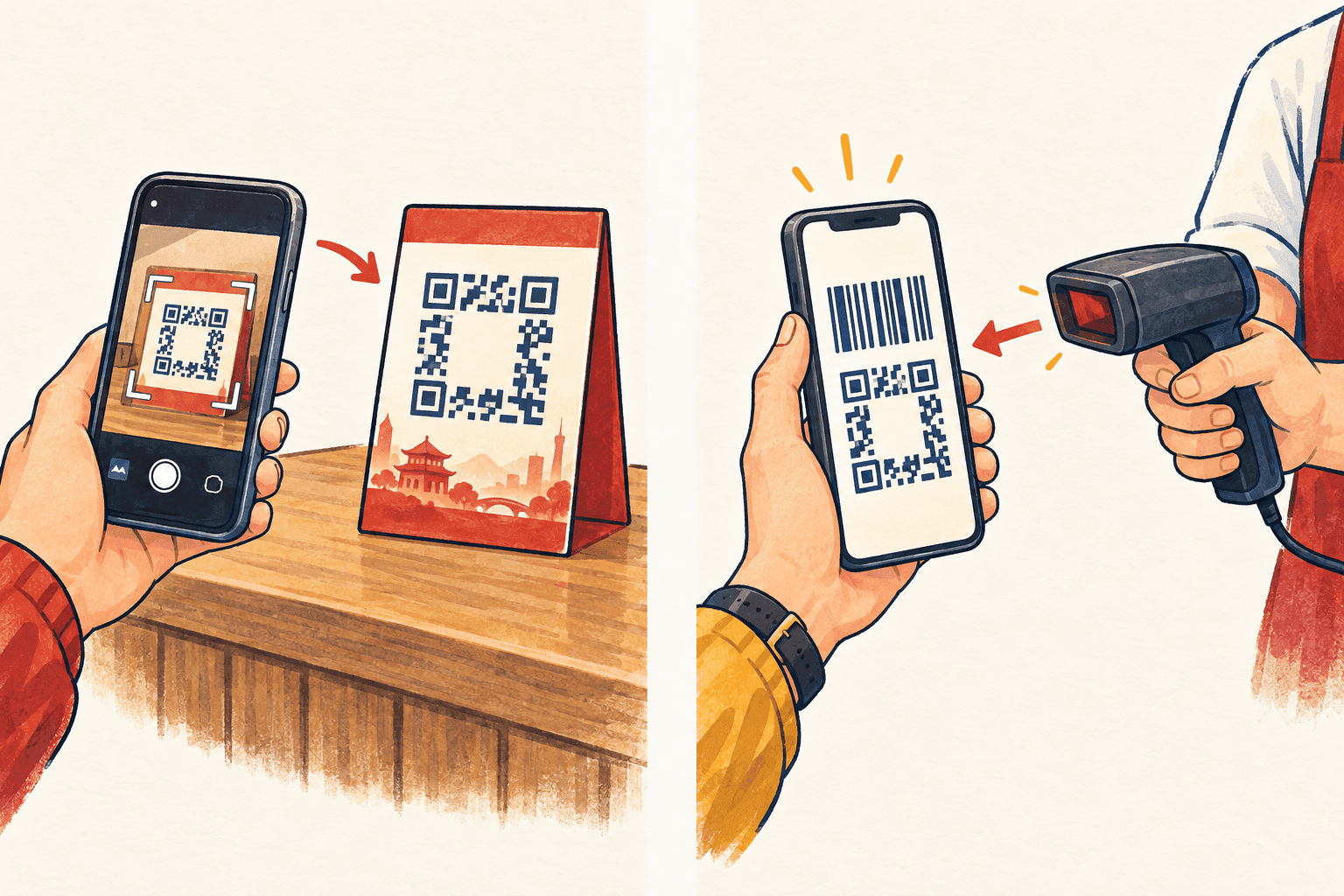
Left / You scan
The shop displays a QR code
Open Scan in Alipay or WeChat and point it at the merchant’s code. Check the recipient, enter the amount if requested, then review your selected card, any fee and the total before confirming.
Right / The cashier scans
The cashier has a scanner
In Alipay, open Pay / Receive. In WeChat, go to Me → Services → Money to find your payment code. Let the cashier scan it. Keep the code private; your contact QR code is a different thing.
A card linked for purchases does not make every QR code usable. Alipay’s international-card service is for eligible merchant payments. A request to transfer money to an individual may not work with that card. Ask for a merchant payment option, or use cash; do not assume adding money to a wallet will fix it.
Try a small purchase after arrival. Stay at the counter until the app and seller confirm payment. Linking a card successfully is preparation; this purchase tells you it is working.
04
Read the total before confirming.
The wallet’s fee, your bank’s foreign-currency charge and the exchange rate are separate things. Read the payment screen and your card terms; a wallet promotion does not remove every possible bank charge.
Old screenshots can be misleading. In May 2026, Tencent announced a 90-day international-card processing-fee waiver for first-time international-card users in WeChat, starting with their first transaction and covering up to RMB 1,000 of daily spending. Check whether your account qualifies and what the app shows now. This is a Weixin Pay offer, not a rule for every wallet.
05
Cash is a practical backup.
Carry some renminbi (RMB) in smaller notes for an ordinary meal or ride if your phone or card lets you down. Decide the amount from your first day’s plans. There is no single amount that suits every arrival, and you do not need to carry your whole trip budget in cash.
For withdrawals, look for an ATM displaying your card network’s logo and check your bank’s withdrawal fees and limits. Keep the physical card and know its PIN.
Setting up a second wallet may help when one app is the problem. Using the same blocked card in both apps gives you less protection, so keep a backup that does not depend on that card or on your phone battery.
References [1]
If something goes wrong
There’s a next step.
My card will not link
Check the card network, the entered details and any unfinished identity check. Save the exact error without sharing your card number publicly. Contact the wallet for an account or identity restriction, and the bank if it rejects verification. Switching names or repeatedly adding the same card is unlikely to resolve the cause.
I cannot receive a verification code
Check which number the code was sent to, including its country code. Your bank may use a different number from your wallet. A data-only eSIM cannot receive an ordinary SMS for your home number. Keep the home line active with roaming support, or use an alternative authentication method explicitly offered by your bank or app.
The payment failed after earlier purchases worked
Read the error first. Check connectivity, the selected card and whether this is a merchant payment or a personal transfer. If the bank has blocked the purchase, contact it or use your backup. Ask the seller to confirm the original order’s status before trying another payment.
The seller says unpaid, but my bank shows a charge
Check the wallet’s transaction record and show the seller the order reference. A bank notification alone may not settle the order’s status. Keep the receipt and contact the wallet or bank about a pending or duplicate charge; do not keep paying without checking.
Sources & checks
Sources checked on 12 September 2026. Account eligibility, device support and transport arrangements can change; check the relevant official guidance again before travelling.
- People’s Bank of China · Guide to Payment Services in China (English download)
- Ministry of Commerce · Mobile payments and overseas-card verification
- Alipay · International bank-card service agreement
- Tencent · 2026 international visitor payment update
- Guangzhou tourism authority · Overseas-card acceptance in visitor areas (Chinese)
- PBOC Shenzhen Branch · Card payments and wallet setup
- Beijing government · Alipay card menu and payment controls
- Weixin Pay · Opening and using your payment code